
A practical guide to the surfaces competitive players actually use—and some weird ones from the edges of esports
When people talk about gaming mice, sensors, or DPI settings, they often overlook the other half of the equation: the surface underneath the mouse.
In competitive FPS games, the mousepad isn’t just a desk accessory, it’s an integral part of the aiming system. Its texture and friction affect how the mouse moves, while a suitable surface pattern helps the optical sensor track movement. Those are related, but different, jobs. [5]
Over the years, manufacturers have experimented with cloth, glass, plastic, and metal surfaces. [5] At the same time, esports history has also produced a few strange experiments that are worth mentioning.
Below is a practical breakdown of five familiar mouse-surface categories, followed by a few unusual experiments. This is a guide to materials, not a measured market-share ranking.
1. Cloth Mousepads (The Competitive Standard)
Cloth is an established gaming option. SteelSeries’ QcK, for example, uses a micro-woven cloth surface and a non-slip rubber base. [1]
Cloth pads generally pair a textile playing surface with a backing that grips the desk. The backing material varies by product; it isn’t always neoprene. Weave, finish, base softness, and mouse feet all contribute to the feel.
Reasons to consider cloth include:
- A choice of glide and stopping feel
- A soft surface under your arm
- They work well with low sensitivity arm aiming
- They’re comfortable for long sessions
Another advantage is size. Modern cloth pads often come in large or extended formats, giving players plenty of room for sweeping movements.
For an undecided player, a conventional cloth pad is a practical starting point. Match the size and feel to the person using it.
2. Hybrid Surfaces
Hybrid mousepads sit somewhere between cloth and hard pads.
“Hybrid” is a product category rather than a single material specification. Razer describes its Strider as combining hard-surface glide with a rollable soft base. That tells you the design goal, not how every hybrid compares with every cloth pad. [2]
The appeal is the combination of:
- A glide designed for speed
- Some of the flexibility of a soft pad
- A surface texture that differs from conventional cloth
Compare specific models. The word “hybrid” alone doesn’t promise a particular friction level or lifespan.
3. Hard Plastic Mousepads
Hard plastic belongs to the long history of dedicated gaming surfaces. SteelSeries’ own retrospective describes experiments with polycarbonate and acrylic before its cloth pads. [5]
For a concrete example, Logitech describes the G440 as a low-friction hard pad with a polyethylene surface. Its rigid construction offers a different feel from a cushioned cloth pad. [3]
Potential trade-offs to consider are:
- Less resistance than you may be used to
- More noise during movement
- Mouse-foot wear that depends on the surface and skate material
Some players still prefer hard surfaces because they allow very quick micro-corrections, but they require a bit more precision in hand control.
4. Glass Mousepads
Glass surfaces occupy a niche but fascinating space in mousepad history.
Purpose-built glass mousepads are treated for tracking; they aren’t simply window glass cut into a rectangle. Razer’s Atlas, for example, uses a micro-etched surface for optical sensors and recommends original or equivalent PTFE mouse feet. [4]
One of the earliest examples was the Icemat. SteelSeries dates it to 2001 and describes an acid-treated glass surface originally developed with rollerball mice in mind. [5]
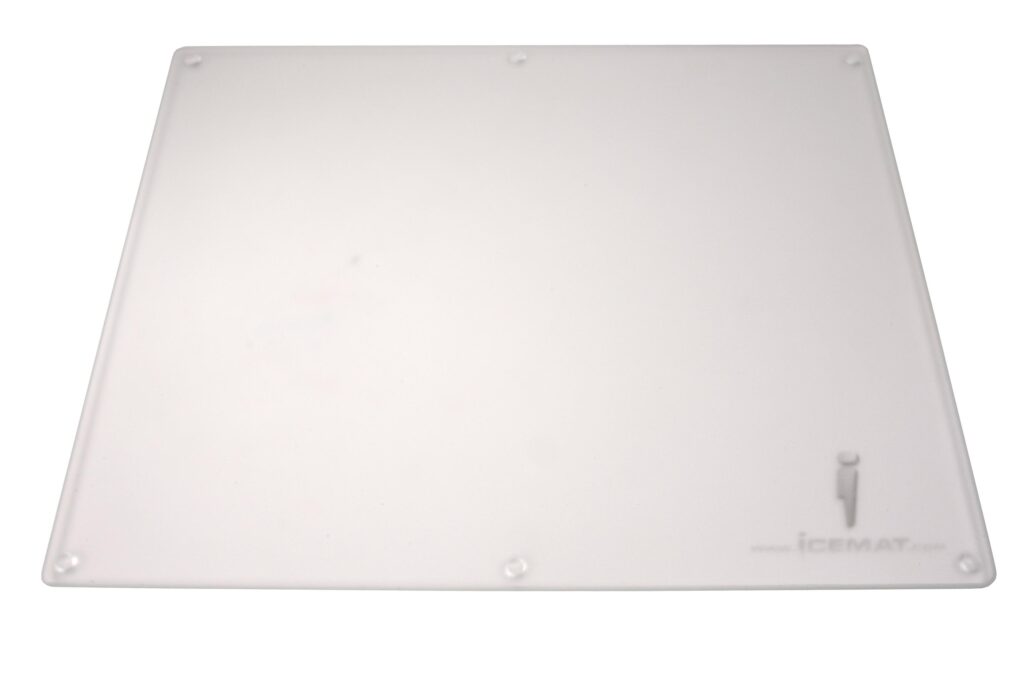
Glass pads offer:
- A distinct hard-surface glide
- A durable surface, subject to the product’s coating and care requirements
- A distinctive smooth feel
However, they can be loud, expensive, and sometimes less forgiving for precise stopping. Not to mention the possibility of them breaking!
5. Aluminum and Metal Surfaces
Metal mousepads—usually aluminum—represent another hard-surface alternative.
Steel and anodized aluminum both appear in SteelSeries’ account of its early experiments. The material under the finish is only part of the story: the coating or texture is what your mouse feet actually touch. [5]
When comparing a metal pad, consider:
- Its rigidity and desk support
- The surface finish, rather than an assumed speed advantage
- How well the finish holds up to use
The downside is that they can feel harsh during extended play and may amplify the sound of mouse movement.
The Strange Side of Mouse Surfaces
Competitive gaming has always attracted experimentation. Alongside mainstream surfaces, there have been some truly unusual approaches to improving mouse glide.
The “Wet Mousepad” Technique
One of the more infamous examples came from a professional Counter-Strike player known as fnl, who reportedly wets his mousepad before playing to alter the glide characteristics.
A discussion of this surfaced on Reddit where Nexus player ‘fnl’ wets his mousepad before every map
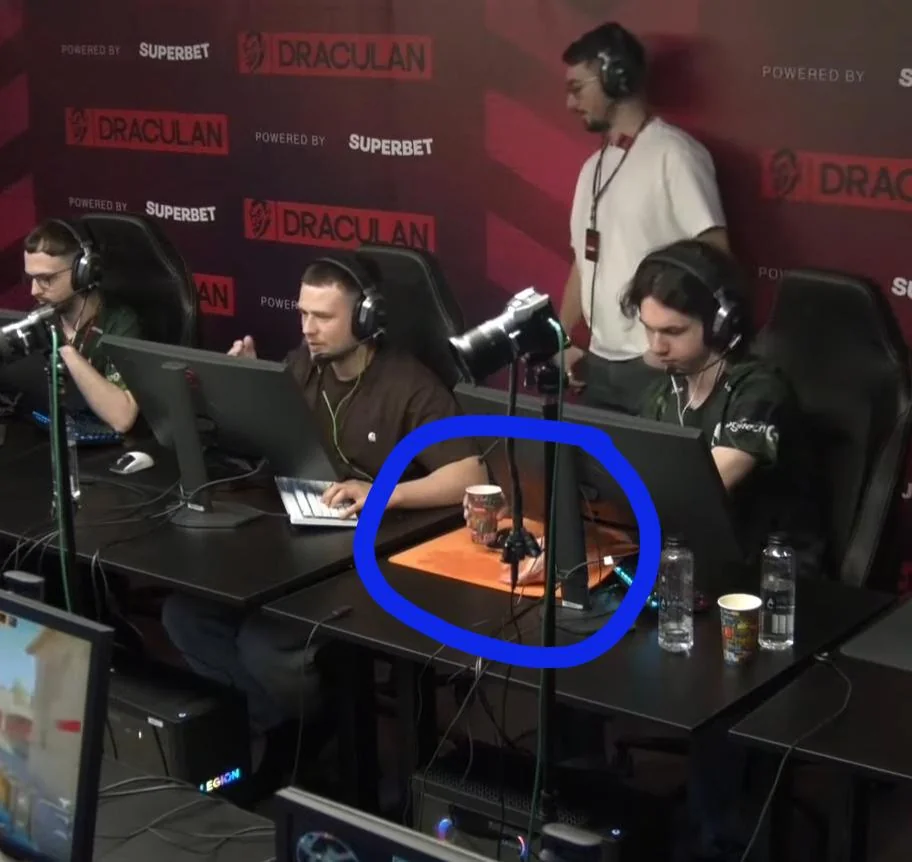
The linked community post documents the anecdote, not a controlled friction test. It does not establish that wetting a pad makes it smoother or improves aim. The effect depends on the pad, mouse feet, and conditions. [6]
Most players would probably consider this impractical—but it’s a reminder of how seriously competitive players treat their aiming environment.
Desk Surfaces (No Mousepad at All)
Another throwback from early PC gaming: players who skipped mousepads entirely.
A bare desk can work if its surface provides a pattern the sensor can track. Glossy or transparent surfaces are a different proposition. Test your particular mouse and desk rather than assuming that newer automatically means more compatible. [5]
Still, it occasionally pops up among minimalists who prefer the feel of a bare desk.
The “Paper Trick”
A sheet of plain paper can be a useful emergency surface if your mouse struggles on the desk. Treat it as an experiment with your own sensor, not evidence of a secret tournament technique.
The general principle is that optical tracking needs a readable surface pattern. That doesn’t mean every paper finish will work equally well. [5]
If you find yourself in this position, don’t forget to tape it down.
Cardboard Surfaces
Cardboard is another possible emergency experiment. Texture, flatness, and friction vary considerably, so try it before relying on it.
A temporary surface is allowed to be a little ridiculous. It still has to track.
Choosing the Right Surface
Ultimately, the best mouse surface comes down to personal preference and playstyle.
Players who rely on precise control and low sensitivity typically gravitate toward cloth pads. Those who favor speed and rapid flicks may lean toward harder surfaces.
The most important factor, however, is consistency. Whatever surface you choose should feel predictable every time you sit down to play.
A familiar, predictable setup gives you one less variable to think about. It still leaves the aiming to you.
Looking for esports gear and collectibles? Explore the latest gaming accessories at FPSDesk.com.
Buying for someone else? Our holiday mousepad guide covers fit, feel, and practical gift checks. For the hardware history, read about the IntelliMouse Explorer 3.0.
References
- SteelSeries QcK: cloth surface and rubber base
- Razer Strider: hybrid surface design
- Logitech G440: hard polyethylene playing surface
- Razer Atlas: glass texturing and mouse-foot guidance
- SteelSeries: The Evolution of SteelSeries Mousepads, July 6, 2018
- Community report: Nexus player fnl and the wet mousepad